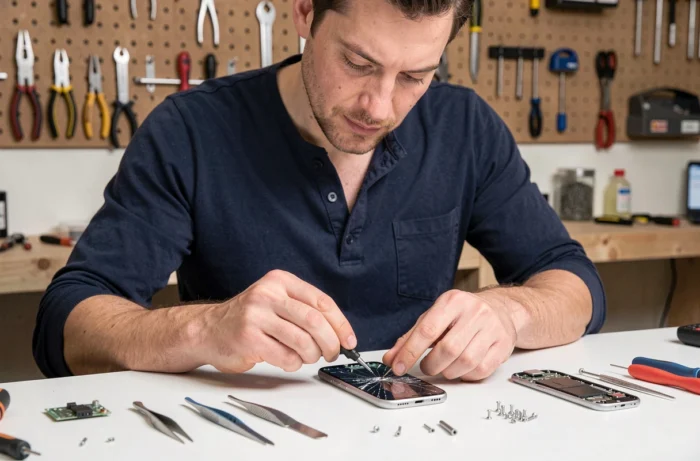
A cracked screen after a fall on tile, a battery that dies in the middle of the day, a charging port that only works at a certain angle: we’ve all experienced at least one of these failures. Repairing your smartphone instead of replacing it can extend its use by several months, sometimes even years. With the recent strengthening of the right to repair in Europe, options have multiplied.
Software and hardware lockouts: what European regulations change for smartphone repair
Since July 31, 2026, a European directive requires manufacturers to offer smartphone repairs at a reasonable price and within a reasonable timeframe, even after the end of the legal warranty. This text, issued by the European Commission, targets a concrete problem: the hardware or software techniques that previously prevented the repair of a device outside the manufacturer’s official network.
In practical terms, anti-repair restrictions imposed by manufacturers are now prohibited, unless there is an objective justification. A manufacturer can no longer lock the replacement of a component with a software error message without a valid technical reason. For users, this means broader access to spare parts and repair information.
Another often-overlooked aspect: the eco-design rules that came into effect on June 20, 2025, require the availability of spare parts for several years and access to repair manuals. It’s easy to compare prices for screens or batteries among repairers thanks to specialized platforms like mobilejunky.fr, which list parts and accessories for most common models.

Smartphone battery: actions that truly extend its lifespan
The battery remains the component that ages the fastest. On the majority of models (iPhone, Samsung Galaxy, etc.), the charging capacity gradually decreases with cycles. A few concrete habits make a real difference.
- Keep the charge level between 20% and 80% on a daily basis. Full charges from 0 to 100% accelerate the chemical degradation of lithium-ion cells.
- Avoid charging the phone on a cushion, bed, or any surface that retains heat. High temperature during charging is the most underestimated factor of wear.
- Prefer short charges throughout the day rather than a single long overnight charge. Even if some recent models manage optimized charging, the risk of overheating for several hours remains.
- Disable unused functions (Bluetooth, permanent location, background synchronization) to reduce the number of charge cycles per week.
Starting in 2027, European battery regulations will impose additional constraints on manufacturers, particularly regarding replaceability. We are moving towards batteries that users can replace without specialized tools, a return to what existed about ten years ago with mobile phones.
Broken screen and charging port: DIY or go to a professional
Screen replacement is the most common repair. On a recent iPhone or Samsung Galaxy, the operation remains delicate due to adhesives and fine cable ribbons. Feedback varies on this point: some experienced DIYers manage it with a repair kit costing a few dozen euros, while others end up damaging a second component.
For an OLED screen, going through a qualified repairer often avoids additional breakage. On an older LCD screen, the margin for error is wider and the part less expensive. The deciding factor is the type of panel and the price of the part compared to the residual value of the device.
The charging port, an underestimated failure
A clogged USB-C port causes false contacts and intermittent charging. Before considering replacement, you can clean the connector with a wooden toothpick (no metal) and a can of compressed air. In most cases, this quick operation is enough to restore stable contact.
If the port is physically damaged, the replacement costs significantly less than a screen and can be done in under an hour at an independent repair shop. Ensuring that the repairer uses parts compatible with the manufacturer’s standard remains a crucial point not to overlook.
Refurbished or repaired smartphone: which choice to extend a device’s lifespan
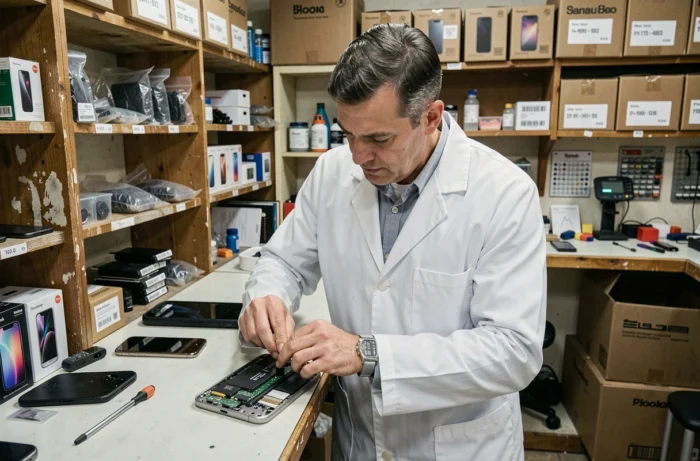
When the repair exceeds half the price of an equivalent refurbished model, the question arises. A quality refurbished phone goes through a process of diagnostics, replacement of faulty components, and software reset. It’s a solid alternative when the current smartphone accumulates several failures.
A grade A refurbished device offers performance comparable to new for a fraction of the price. Apple and Samsung Galaxy models are the most common in the refurbished market, with a supply of parts that facilitates future maintenance.
- Check the remaining battery capacity (indicated as a percentage of the original capacity on the product sheet).
- Confirm that the device comes with a warranty of at least six months.
- Ensure that the model still receives security updates from the manufacturer, or risk ending up with a vulnerable phone in a few months.
Between repairing an aging smartphone and switching to refurbished, the right decision depends on the number of components to be replaced. Changing a battery and a screen simultaneously on a model over four years old leans towards refurbished. Replacing a single part on a recent device almost always justifies the repair, especially since European regulations now guarantee access to spare parts for several years.